Saltar al contenido
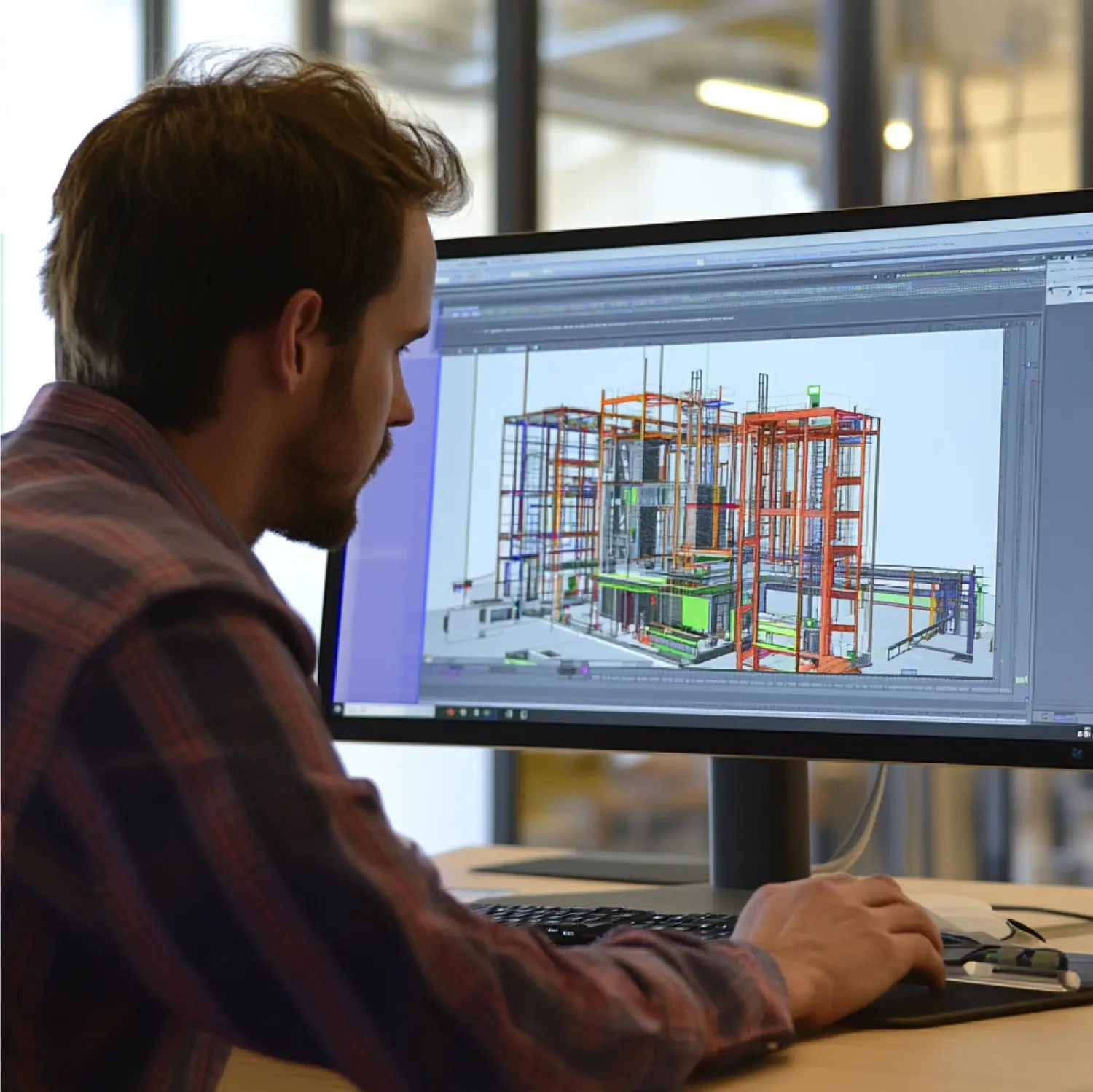
We’ve all been there: the steel arrives on time, the crew is ready, but production grinds to a halt because the shop drawings contain ambiguities, missing information, or outright mistakes. What should have been a smooth run turns into days (or weeks) of RFIs, rework, cut lists that don’t match, and frustrated fabricators staring at pieces that simply won’t fit. In 2026, with tighter schedules, higher material costs, and labor still in short supply, these delays hit harder than ever.
At our firm, we review hundreds of shop drawing packages every year and consult with fabricators who range from small custom shops to large structural steel producers. We’ve identified the same seven recurring errors that consistently cause the most expensive and time-consuming problems. The good news? Every one of them is preventable with disciplined processes, better communication, and attention to detail during the detailing phase.
In this comprehensive guide, we’ll walk you through each of these common pitfalls, explain exactly why they derail fabrication, and share practical, proven strategies to eliminate them. By the end, you’ll have a clear checklist you can apply to your next project so your steel shop drawings become the reliable roadmap fabricators need—not another source of headaches.
Incomplete or Inconsistent Dimensioning Practices
One of the fastest ways to stop a shop floor is to hand over drawings where dimensions are missing, conflicting, or rely on scaling from prints. Fabricators should never have to guess or measure from a PDF.
We see this error most often on assembly drawings: overall lengths are given, but critical hole-to-hole or hole-to-end distances are omitted. Or worse—chain dimensioning creates tolerance stack-up that makes parts impossible to fit.
How to avoid it:
- Use datum-based or ordinate dimensioning from established reference points (web centerline, end of member, etc.).
- Fully dimension every critical feature on single-part drawings—no “typical” notes for varying conditions.
- Cross-check that dimensions on assembly views match single-part details exactly.
- Require a final dimension audit: every cut, hole, cope, and notch must have an explicit callout.
When we enforce this discipline, RFIs related to dimensions drop by over 70% in the projects we oversee.
Missing, Incorrect, or Ambiguous Welding Symbols and Specifications
Welding details cause more field disputes than almost any other category. We regularly encounter shop drawings that:
- Use outdated or non-AWS welding symbols
- Omit weld size, length, type, or process
- Show field welds where shop welds are intended (and vice versa)
- Fail to specify preheat, interpass temperature, or filler metal when required by code
These omissions force welders to stop, ask questions, or make assumptions—any of which can lead to rejected welds, costly repairs, or safety issues.
Prevention strategies:
- Always reference AWS A2.4 (Standard Symbols for Welding, Brazing, and Nondestructive Examination) and use the correct tail notation.
- Create and maintain a weld procedure library tied to joint types and materials.
- Clearly differentiate shop welds (circled tail) from field welds (open tail).
- Include a general welding note that references applicable sections of AWS D1.1 and project specifications.
Inaccurate or Missing Bolt and Connection Details
Bolted connections are supposed to be the “easy” part—until the drawings show the wrong bolt type, missing washers, incorrect hole sizes, or mismatched gage lines.
Common mistakes we catch include:
- Specifying A325 bolts where A490 is required (or vice versa)
- Omitting slip-critical vs. bearing-type designations
- Incorrect edge distances or spacing that violate AISC 360 minimums
- Failing to show faying surface condition (paint, galvanize, unpainted)
How to fix it permanently:
- Embed AISC Table 7-1 (bolt strengths) and Table J3.3M (minimum spacing/edge distance) checks into your detailing templates.
- Use standardized connection libraries in Tekla, SDS/2, or Advance Steel so every clip angle, end plate, or shear tab follows approved designs.
- Include bolt callouts in both plan and elevation views for clarity.
- Always note whether connections are shop-bolted or field-bolted.
Poor Piecemarking and Shipping/Handling Information
Nothing slows erection more than pieces arriving on site with confusing, duplicated, or missing marks. We’ve seen entire truckloads held up because piecemarks were inconsistent between shop drawings, anchor bolt plans, and erection drawings.
Solutions that work:
- Implement a logical, hierarchical piecemarking system (e.g., column lines + floor + sequential number).
- Show shipping marks clearly on every piece and include them in the BOM.
- Provide a dedicated piece mark summary sheet that cross-references main members, secondaries, and bracing.
- Use barcodes or QR codes on drawings when fabricators request digital tracking.
Lack of Proper Tolerances and Camber Information
Fabrication tolerances matter—especially on long-span beams, trusses, and members with heavy welding. Omitting camber values, weld shrinkage allowances, or referencing the wrong tolerance standard leads to fit-up problems that can cost thousands to correct.
Best-practice approach:
- Reference AISC 360 Section B4 (dimensional tolerances) and Code of Standard Practice Section 6 explicitly.
- Call out camber on the single-part drawing and verify it matches the design camber table.
- Note any special tolerances (tighter than standard) required by the engineer.
- Include weld shrinkage compensation notes for heavy fillet welds or full-penetration joints.
Inadequate Bill of Materials (BOM) and Material Take-Off Errors
An inaccurate BOM is a silent killer—fabricators order the wrong quantity, wrong grade, or wrong length, then face delays waiting for replacements.
We frequently find:
- Missing items (stiffeners, doublers, washers)
- Incorrect piece counts due to manual errors
- No distinction between main material and miscellaneous steel
- Failure to account for drop (waste) in cut lengths
Robust safeguards:
- Generate BOMs directly from the 3D model—never manually.
- Include cut list details with optimized lengths to minimize waste.
- Break out structural vs. miscellaneous steel clearly.
- Run a final quantity reconciliation between model, BOM, and design take-offs.
Failure to Incorporate Clash Detection and Coordination Review
Even the most detailed shop drawings fail if they clash with concrete, MEP, or other steel elements. Late-stage clashes discovered during fabrication or erection cause massive rework.
How we eliminate this risk:
- Perform full 3D clash detection at 60% and 90% model completion.
- Export clash reports and resolved views to the drawing package.
- Conduct a formal coordination review with the GC or other trades before final approval.
- Use navisworks or cloud-based viewers to share federated models with all stakeholders.
Frequently Asked Questions
How can we tell if our shop drawings are truly fabrication-ready?
Look for zero unanswered questions: every dimension, weld, bolt, tolerance, and piecemark must be explicit. There should be no reliance on scaling, no “typical” notes for varying conditions, and no assumptions left for the shop. A quick test—can a fabricator build the piece without calling the detailer? If yes, the drawings are ready.
What’s the single biggest return on investment when fixing these errors?
Reducing RFIs and rework. Each avoided RFI saves 2–10 hours of engineering, detailing, and shop time. Preventing one major fit-up issue can save $10,000–$50,000 in labor, equipment, and schedule delay. The upfront effort in better drawings pays back many times over.
Should we use automated checking tools or stick to manual reviews?
Use both. Modern software (Tekla, SDS/2, Advance Steel) offers excellent automated checks for clashes, tolerances, and code compliance. But human review remains essential for constructability, coordination context, and project-specific nuances that automation can miss. The strongest packages combine technology with experienced eyes.
Conclusion
Creating steel shop drawings that actually work is not about adding more lines—it’s about removing ambiguity, preventing assumptions, and building trust between the detailer and the fabricator. The seven errors we’ve covered here are not rare exceptions; they appear consistently across projects of every size and complexity.
By implementing the prevention strategies we’ve outlined—datum dimensioning, standardized libraries, model-generated BOMs, rigorous clash detection, and disciplined QC—you can dramatically reduce delays, cut rework costs, and improve relationships with your fabrication partners.
In 2026’s demanding construction environment, reliable shop drawings aren’t a luxury—they’re a competitive necessity. If you’re tired of the same recurring problems holding up your production, start applying these fixes on your next project. The results will show up quickly in faster throughput, lower costs, and happier crews.