Skip to content

Retrofit and renovation projects in the steel construction sector present unique challenges. Existing structures rarely match original drawings perfectly—settlements, modifications over time, undocumented changes, and wear introduce deviations that traditional surveying methods often miss. As steel detailers and fabricators, we frequently encounter these discrepancies during retrofits, where new connections, reinforcements, or extensions must integrate seamlessly with aging frameworks. This is where 3D laser scanning transforms the game.
By capturing millions of precise data points to create a comprehensive point cloud—an accurate digital representation of as-built conditions—this technology provides the reliable foundation needed for precise steel detailing. In 2026, with BIM workflows more integrated than ever, combining laser-scanned as-built data with detailing software like Tekla Structures or SDS2 dramatically reduces errors, minimizes rework, and ensures new steel components fit without costly field adjustments.
We believe this convergence isn’t just an enhancement—it’s essential for delivering successful retrofits on time and within budget. In this article, we’ll explore how 3D laser scanning enhances accuracy in steel detailing for renovation projects, outline practical implementation steps, highlight real benefits, and share strategies to overcome common hurdles. Whether you’re detailing reinforcements for an industrial facility or adding floors to a commercial building, these insights will help you leverage as-built data for superior outcomes.
Understanding 3D Laser Scanning and Its Role in Steel Retrofits
3D laser scanning, often powered by terrestrial laser scanners (TLS) or mobile LiDAR systems, emits laser pulses to measure distances to surfaces, generating dense point clouds with millimeter-level accuracy. For steel retrofits, this means capturing the true geometry of existing beams, columns, connections, and surrounding elements without relying on potentially outdated 2D drawings or manual measurements.
Why As-Built Data Matters in Retrofit Projects
Traditional as-built documentation—hand sketches, tape measurements, or legacy CAD files—frequently contains inaccuracies. Buildings settle, steel deflects under load, corrosion alters profiles, and undocumented alterations accumulate. These variances can lead to fabricated pieces that don’t align, forcing on-site modifications like cutting, shimming, or additional welding—expenses that quickly escalate.
As-built point clouds eliminate guesswork. Scanned data reflects reality: actual member sizes, connection eccentricities, out-of-plumb columns, or unexpected obstructions. When imported into detailing software, this data serves as the reference model, allowing detailers to design new steel elements that conform precisely to existing conditions.
Integration with BIM and Steel Detailing Workflows
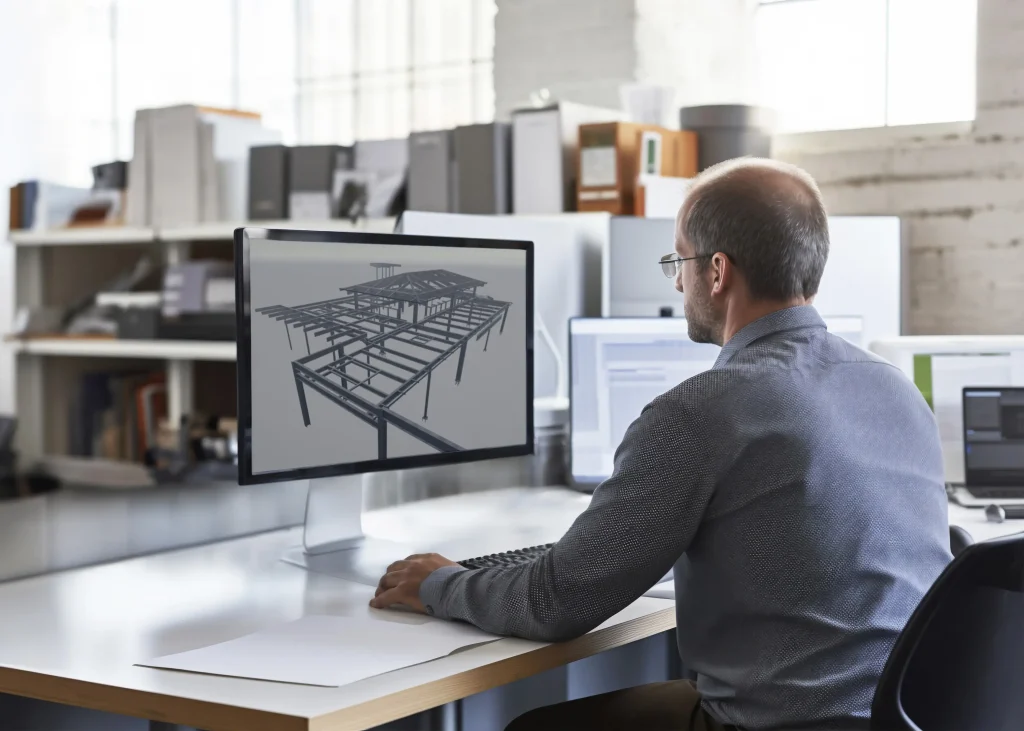
Modern workflows fuse scanned point clouds directly into BIM environments. Tools like Trimble RealWorks, Leica Cyclone, or Autodesk ReCap register and clean scans, then export to Tekla or Revit. Detailers overlay design models on the point cloud, identifying deviations and adjusting connections accordingly.
This Scan-to-BIM process ensures clash-free detailing, accurate material takeoffs, and constructible shop drawings. For retrofits involving steel additions—bracing, mezzanines, or crane runway reinforcements—the point cloud guides precise fit-up, reducing RFIs and change orders.

Key Benefits of Combining 3D Laser Scanning with Steel Detailing
The advantages extend far beyond basic measurement. We see measurable improvements in project performance when as-built data drives detailing decisions.
Unmatched Accuracy and Reduced Errors
Laser scanning delivers sub-millimeter to millimeter precision—far superior to manual methods. In steel detailing, this means connections align exactly, bolt holes match existing plates, and new members avoid interferences with hidden utilities or deformed elements.
For example, in industrial retrofits where existing steel shows camber variations or corrosion-induced section loss, the point cloud reveals these deviations early. Detailers can compensate with custom gussets, slotted holes, or adjusted web depths, preventing fit-up failures during erection.
Studies and industry reports consistently show rework reductions of 50-90% in scanned retrofit projects, as errors are caught digitally rather than in the field.
Faster Detailing and Shorter Project Timelines
Scanning captures vast areas quickly—entire floors or buildings in days rather than weeks of manual surveying. This accelerates the detailing phase: point clouds provide immediate reference, eliminating time-consuming site revisits for verification.
We often find that teams using scanned data complete shop drawings 30-50% faster, as measurements are readily available in 3D. Early clash detection further compresses coordination cycles with MEP and architectural trades.
Cost Savings and Risk Mitigation
Field modifications are expensive—labor, equipment downtime, and material waste add up rapidly. By basing details on accurate as-built conditions, projects avoid these surprises. Prefabrication confidence rises, enabling more off-site work and reducing on-site labor needs.
Safety improves too: fewer workers in hazardous retrofit environments, as scanning captures data remotely. Sustainability benefits emerge from optimized steel use—less waste from misfits—and better lifecycle documentation for future maintenance.
Enhanced Collaboration and Documentation
Point clouds serve as a shared, visual truth for all stakeholders—engineers, owners, contractors, and detailers. Cloud platforms like Trimble Connect host models for real-time review, speeding approvals and reducing miscommunication.
Post-project, the scan provides a digital twin for facility management, supporting future retrofits or inspections.
Step-by-Step Implementation: From Scan to Detailed Steel Model
Adopting this technology requires a structured approach. We recommend the following workflow for optimal results.
Planning and Scanning Execution
Define scope: focus on areas affected by new steel. Choose scanner type—stationary for high detail, mobile for large spaces. Plan scan positions for full coverage and minimal occlusion.
Execute scans during low-occupancy periods for safety and efficiency. Capture overlapping data for accurate registration.
Point Cloud Processing and Registration
Use software to register scans into a unified coordinate system. Clean noise, remove outliers, and segment relevant areas (e.g., structural steel only).
Export as E57 or PTS files for BIM import.
Importing into Detailing Software
Load point clouds into Tekla or SDS2. Use alignment tools to match scan coordinates with design grid. Reference the cloud for modeling new elements—trace existing members if needed, or offset for clearances.
Run clash checks against the as-built cloud to refine details.
Detailing, Verification, and Fabrication
Detail connections, bracing, and additions with cloud as backdrop. Generate reports comparing design to as-built deviations.
Verify prefabricated pieces against scan data before shipment if possible.
Overcoming Challenges in Laser Scanning for Steel Retrofits
Challenges exist, but solutions make adoption straightforward.
Data Management and File Size
Large point clouds strain hardware. Use decimated or region-specific subsets for detailing. Cloud processing eases storage.
Skill Requirements and Training
Detailers need familiarity with point cloud tools. Vendor training and practice projects build proficiency quickly.
Cost Justification
Initial scanning investment pays back through reduced rework. For frequent retrofits, in-house scanners or partnerships with scanning firms prove economical.
Accuracy Considerations
Ensure registration precision and scan resolution suit steel tolerances. Calibrate equipment and verify with known targets.
FAQs

How accurate is 3D laser scanning compared to traditional surveying for steel retrofit detailing? Modern terrestrial laser scanners achieve 1-3 mm accuracy over typical project distances, with sub-millimeter precision in controlled setups. This far surpasses manual measurements, which often include human error and limited sampling, making laser scanning the preferred method for precise as-built capture in complex steel environments.
Can point clouds from 3D scanning be directly used in steel detailing software like Tekla? Yes—most leading platforms support point cloud imports (E57, PTS formats). Tools within Tekla allow referencing, sectioning, and measuring against the cloud, enabling detailers to model new steel accurately while avoiding clashes with existing conditions.
What types of retrofit projects benefit most from combining laser scanning with steel detailing? Complex industrial retrofits, aging infrastructure upgrades (bridges, plants), commercial building expansions, and heritage restorations see the greatest gains. These involve irregular geometries, undocumented changes, or tight integration needs where as-built accuracy prevents expensive field adjustments.
Conclusion

Integrating 3D laser scanning with steel detailing revolutionizes retrofit project accuracy by grounding every decision in reliable as-built data. From capturing true geometries to enabling precise prefabrication and clash-free designs, this approach minimizes risks, accelerates timelines, and delivers substantial cost savings.